🎉 NEW Add-ons: Registration Upsells, Automation Webhooks, Calendar+ Anywhere, Registration Upsells, and Charge Processing Fees!

![[object Object]-flag-image](/_next/static/media/flag-us.4b6a85b6.svg)
Introducing Calendar+: An Advanced and Beautiful Events Calendar Plugin for WordPress
Calendar+ is a modern WordPress events calendar plugin that helps visitors quickly discover what’s coming up with clean month/week/day/agenda views, helpful filters, and flexible styling. Pair it with Event Espresso when you need registrations and payments.
Posted by Garth
If your website runs events—classes, workshops, fundraisers, trainings, conferences—your visitors want one thing: a fast way to see what’s coming up and how to join. Calendar+ (officially called “Events Calendar Plus”) gives you a powerful, clean, modern WordPress events calendar with multiple views, built-in filtering, and plenty of design controls so it can match your site.
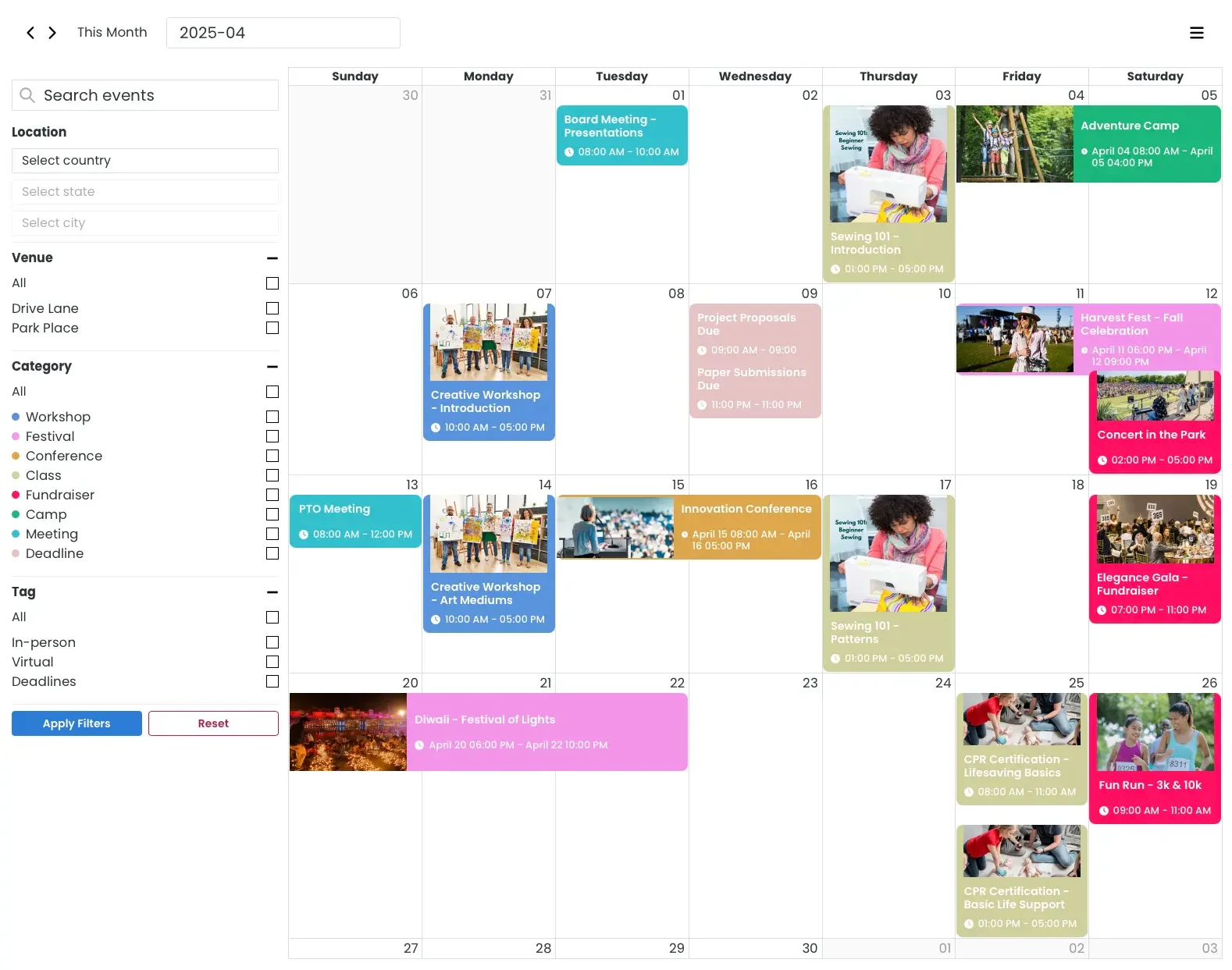
(Events Calendar Plus Month view)
- What is Calendar+?
- Can I see a Demo?
- How do I get Calendar+?
- Why a calendar view beats a “list of posts”
- The features that matter most (and why visitors notice)
- 1) Multiple calendar views (Month / Week / Day / Agenda)
- 2) Filters that help people find the right event
- 3) Tooltips, popovers, thumbnails, and event details
- 4) Mobile-friendly out of the box
- Make it match your site (without custom CSS)
- Want registrations and ticket sales? Pair it with Event Espresso
- Quick start: how to publish your first Calendar+ page
- Pro tip: create multiple calendars (without installing multiple plugins)
- Directions and locations (nice for in-person events)
- FAQ
- Can I sell tickets from events shown on the calendar?
- Can I have more than one calendar on my site?
- How do I display the calendar on a page?
- Wrap-up
What is Calendar+?
Calendar+ is a WordPress events calendar plugin that helps you create and display events in a calendar format with customizable views (month/day/week/list/agenda), styling, labels, and date formats—optimized for mobile.
Can I see a Demo?
You can see a front-end demo of Calendar+ in action on our demo website with multiple views, categories, filters, etc.
Create your own sandbox site to demo the back-end of Calendar+ too.
How do I get Calendar+?
- Calendar+ can be used independently to post simple events and a calendar and is available as a free download from WordPress.org.
- Support for Calendar+ is available with purchase of Event Espresso and Calendar+ support licenses, and is included in the All Access Pass.
- Calendar+ is also designed to work alongside Event Espresso Decaf and Premium, so you can display events beautifully and, when you need it, add registrations and ticket sales.
Why a calendar view beats a “list of posts”
An event calendar does two jobs at once: it makes events easier to discover (people can scan dates visually and switch views), and it helps search engines find and understand your event content because you’re publishing clear event details and keeping everything organized in one place.
The features that matter most (and why visitors notice)
1) Multiple calendar views (Month / Week / Day / Agenda)
Some people browse by month. Others need the next 7 days. Calendar+ supports month, week, day, and agenda-style views, and you can set a default view for your audience.
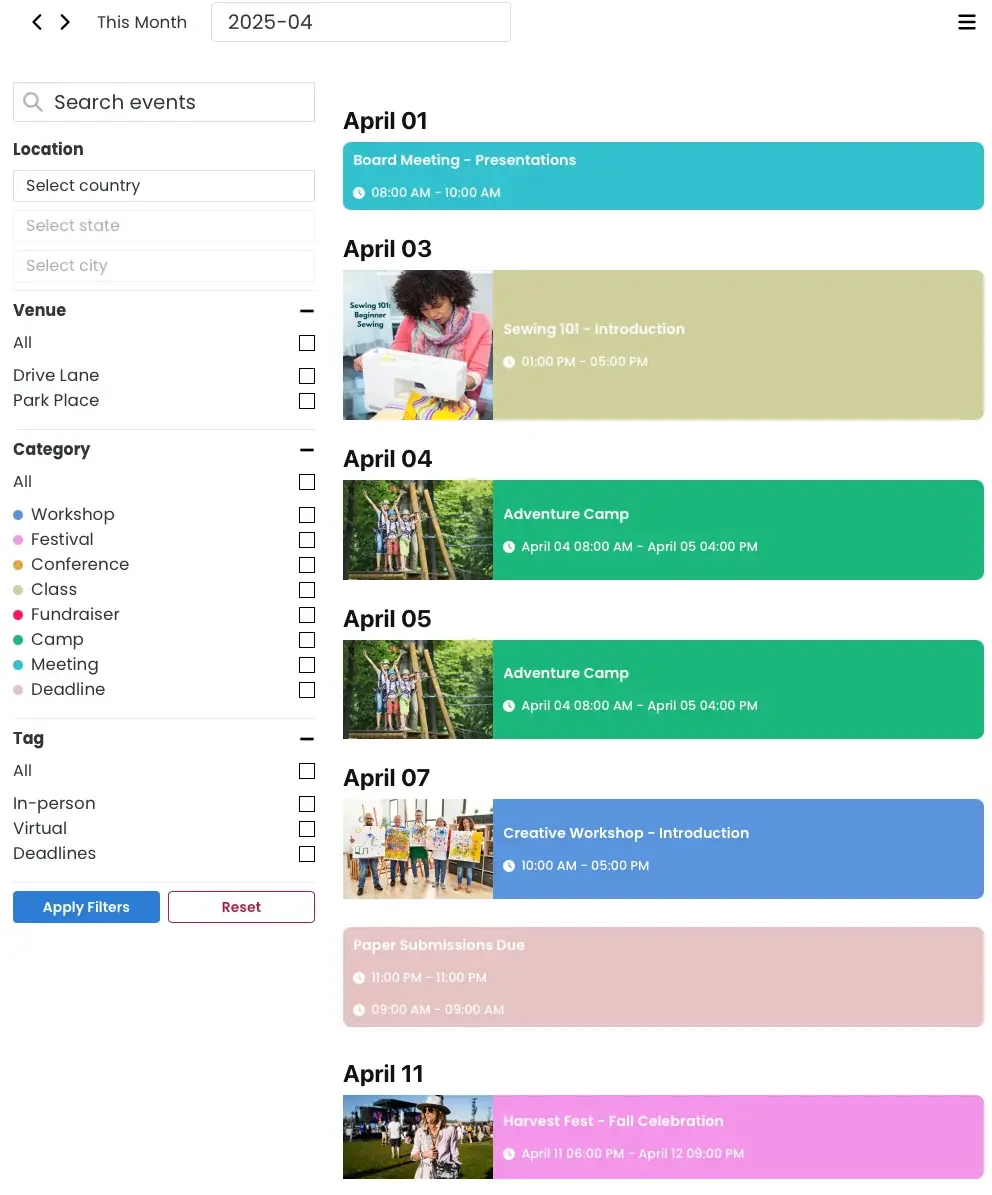
(Events Calendar Plus Agenda view)
2) Filters that help people find the right event
Filters are where calendars become useful. Calendar+ supports filtering by things like keyword, venue, category, tag, and location (and can be configured to fit your layout).
Even better: with the Calendar+ Views & Filters add-on it supports URL/query parameters so you can share a link that opens a pre-filtered view (perfect for “All trainings in Phoenix” or “Only summer camps”).
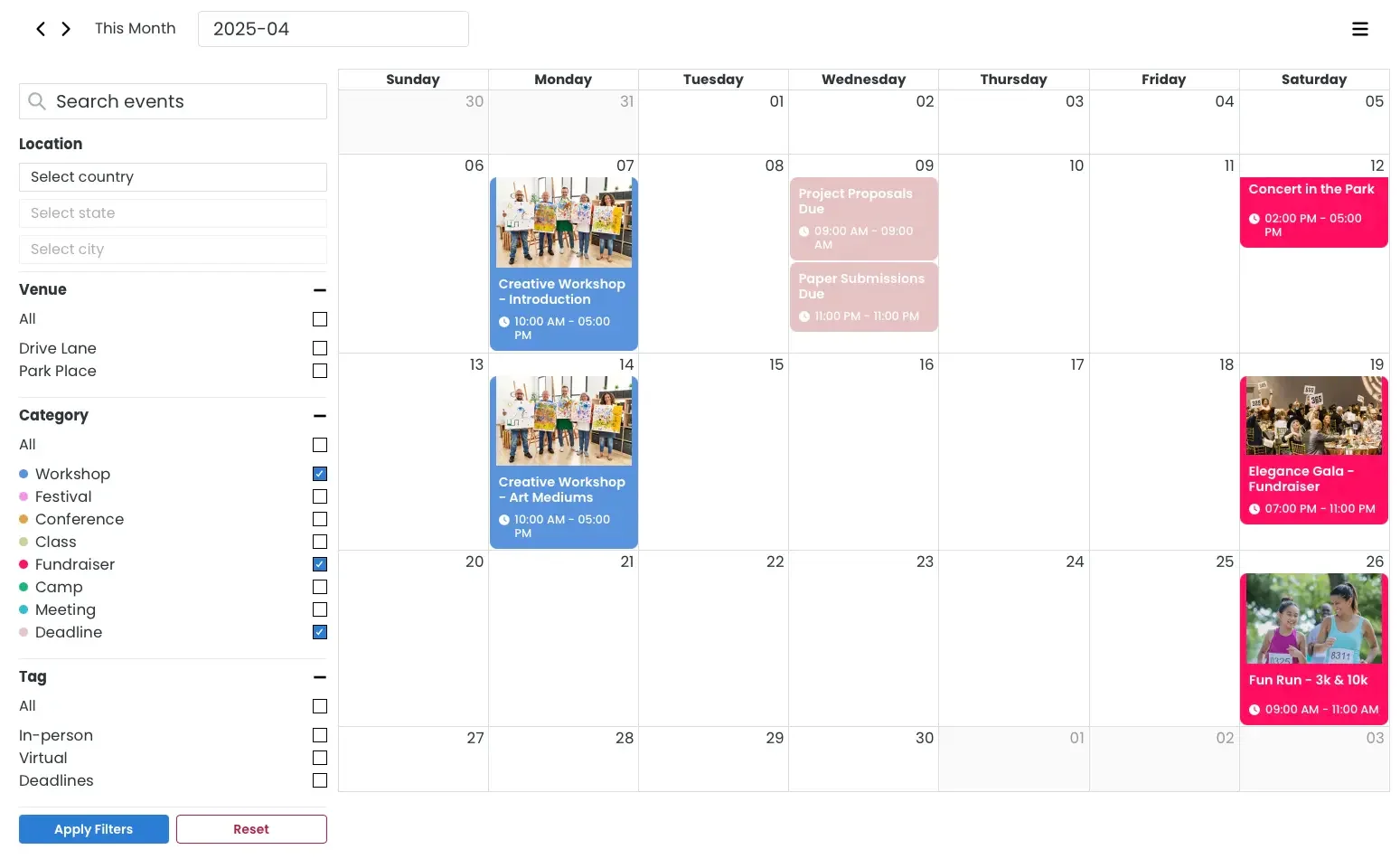
(Events Calendar Plus Filtering)
3) Tooltips, popovers, thumbnails, and event details
You can enable/disable tooltips or popovers, show/hide thumbnails (featured images), and control how much detail appears in the calendar experience—without turning your calendar into a cluttered mess.
4) Mobile-friendly out of the box
Calendar+ is built to adapt to smaller screens, and you can even choose whether filters stay visible on mobile.
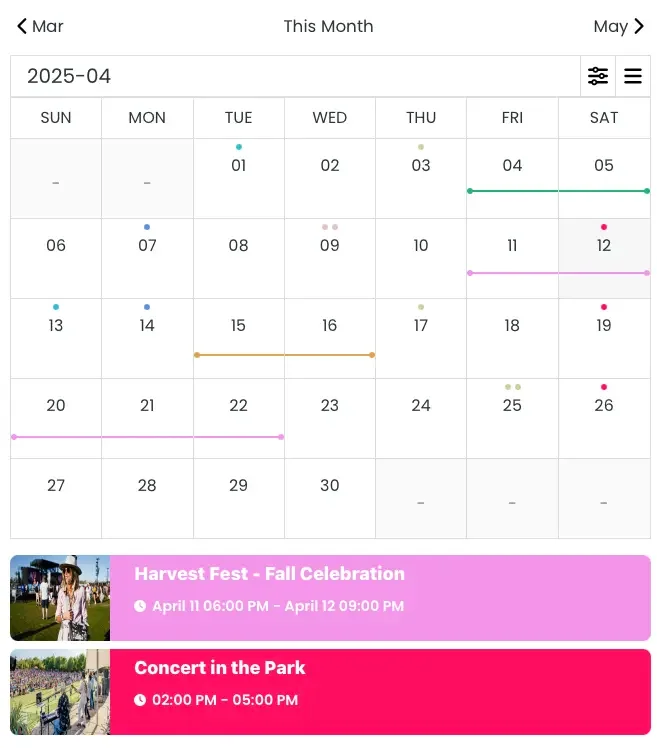
(Events Calendar Plus Mobile Responsive view)
Make it match your site (without custom CSS)
A calendar should look like it belongs on your website—not like it was pasted in from another universe. Calendar+ gives you multiple date/time formats, editable text labels/strings (helpful for translation or just using your organization’s wording), and many color controls so you can dial in a look that fits.
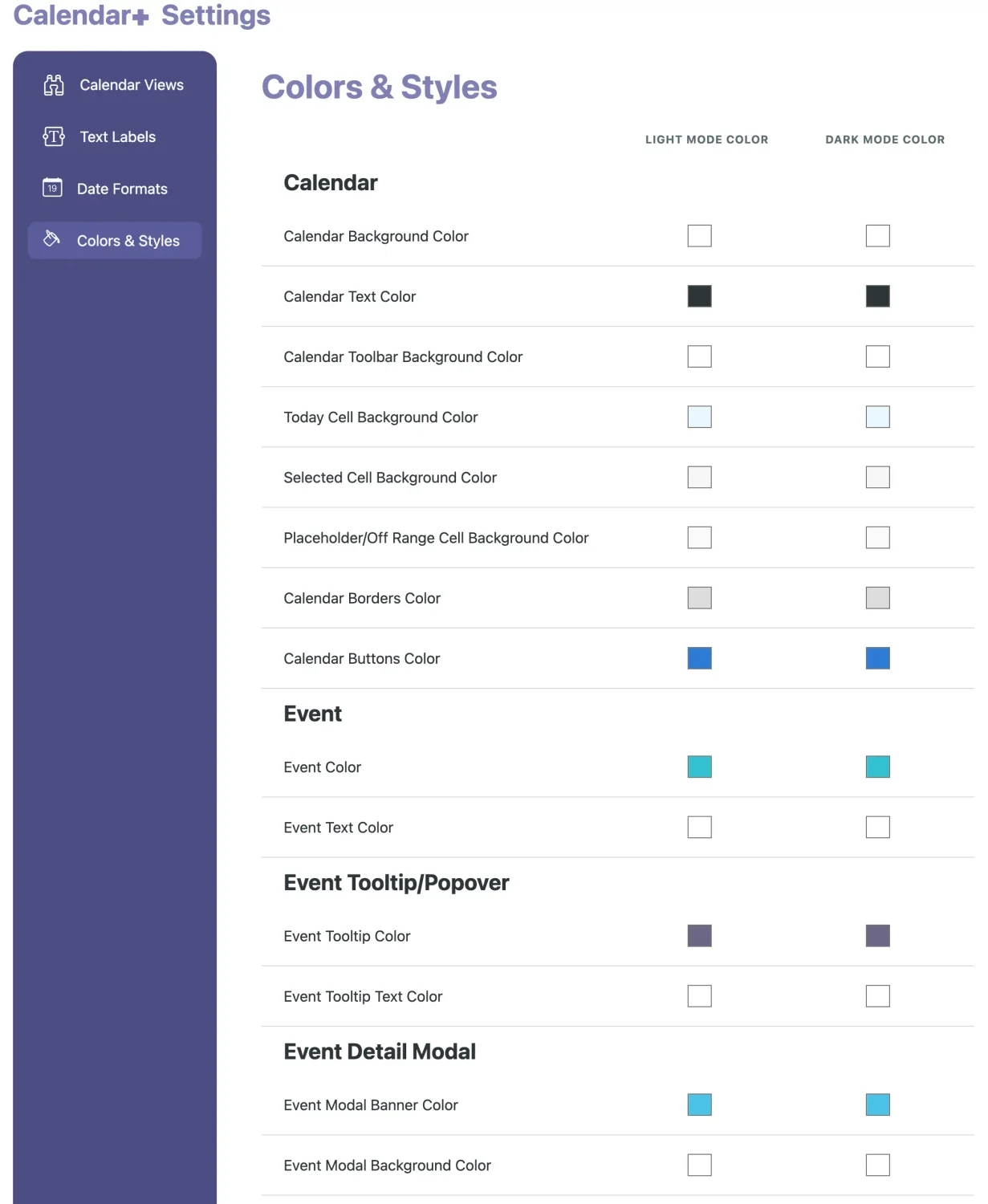
(Events Calendar Plus Colors & Styles settings)
Want registrations and ticket sales? Pair it with Event Espresso
Calendar+ focuses on the calendar experience. If you also need RSVPs, registrations, and payments, the simplest path is pairing it with Event Espresso (free or premium).
- A calendar that’s easy to browse
- Dedicated event pages
- Registration and payment workflows (via supported payment options)
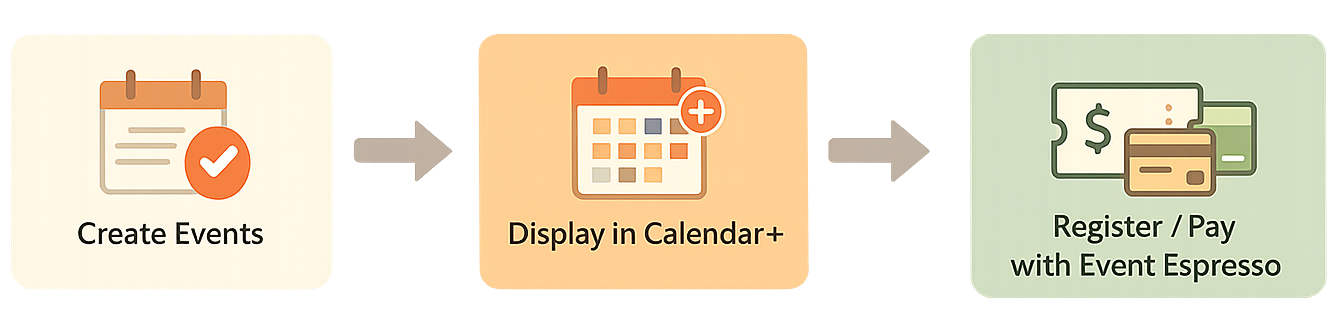
(Events Calendar and Registration and Payment flow diagram)
Quick start: how to publish your first Calendar+ page
- Install and activate Events Calendar Plus (Calendar+).
- Add events (many sites use Event Espresso Decaf to include venues, categories/tags, and featured images).
- Create a page called Events (or similar).
- Add the shortcode:
[EVENTS_CALENDAR_PLUS] - Configure views, filters, date formats, labels, and colors to match your site.
Pro tip: create multiple calendars (without installing multiple plugins)
Need separate calendars for different audiences—like “Workshops,” “Fundraisers,” and “Youth Events”? Use categories or tags to create calendar views that show only certain events, then share direct links to those filtered views.
- Keep your main calendar clean
- Build SEO-friendly event hubs by topic
- Share targeted links in emails and social posts
Directions and locations (nice for in-person events)
If your events include venues, Calendar+ can connect out to Google Maps for directions when you enable that option.
FAQ
Can I sell tickets from events shown on the calendar?
Yes—use Event Espresso (free or premium) alongside Calendar+ for registrations and ticketing.
Can I have more than one calendar on my site?
Yes—use categories/tags to create calendar views that show only certain events, and share direct links to those views.
How do I display the calendar on a page?
Add [EVENTS_CALENDAR_PLUS] to any WordPress page or post. Here is the Calendar+ documentation page for more information.
Wrap-up
If you want a WordPress events calendar that’s actually pleasant to use—on desktop and mobile—Calendar+ is a strong option: multiple views, powerful filters, lots of styling controls, and an easy path to ticketing when paired with Event Espresso.