🎉 NEW Add-ons: Registration Upsells, Automation Webhooks, Calendar+ Anywhere, Registration Upsells, and Charge Processing Fees!

![[object Object]-flag-image](/_next/static/media/flag-us.4b6a85b6.svg)
🎉 NEW: Webhooks
ManagementThe Webhooks add-on sends data from your Event Espresso site to other applications and services whenever something important happens — a new registration, a successful payment, an attendee check-in, and more. A small outbound message is delivered to a URL you choose, so tools like Zapier, Make, N8N, CRMs, Quickbooks, or your own custom integrations can react automatically to manipulate the data and send it to other apps.
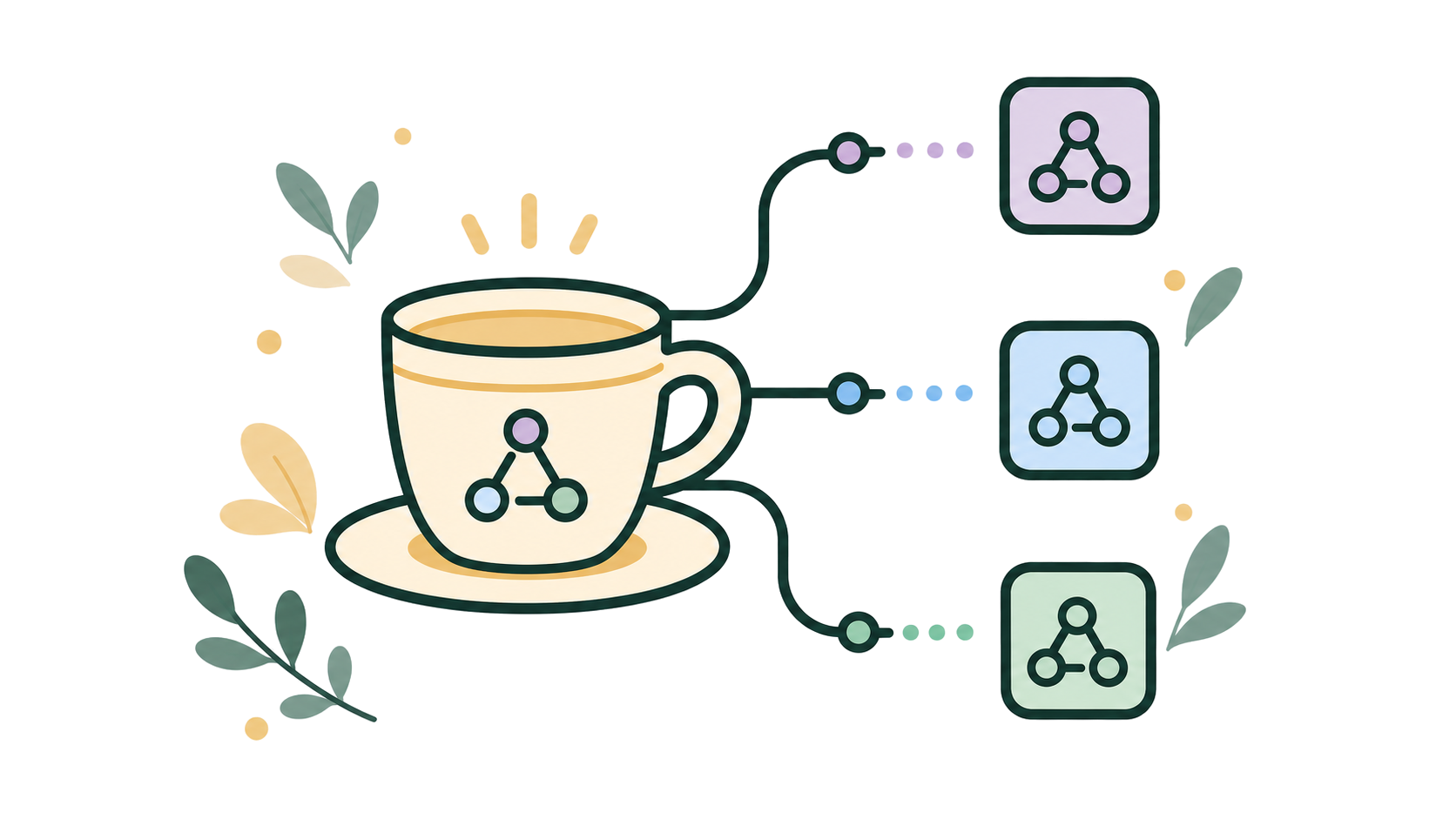
The Webhooks add-on keeps your Event Espresso site in sync with the rest of your business by automatically sending real-time event data to the tools you already use.
Whenever something important happens – a new registration, a successful payment, an attendee check-in, an event update, and more – Event Espresso sends a structured webhook to any URL you choose, so services like Zapier, Make, CRMs, accounting systems (Quickbooks Online), or your own custom apps can react instantly.
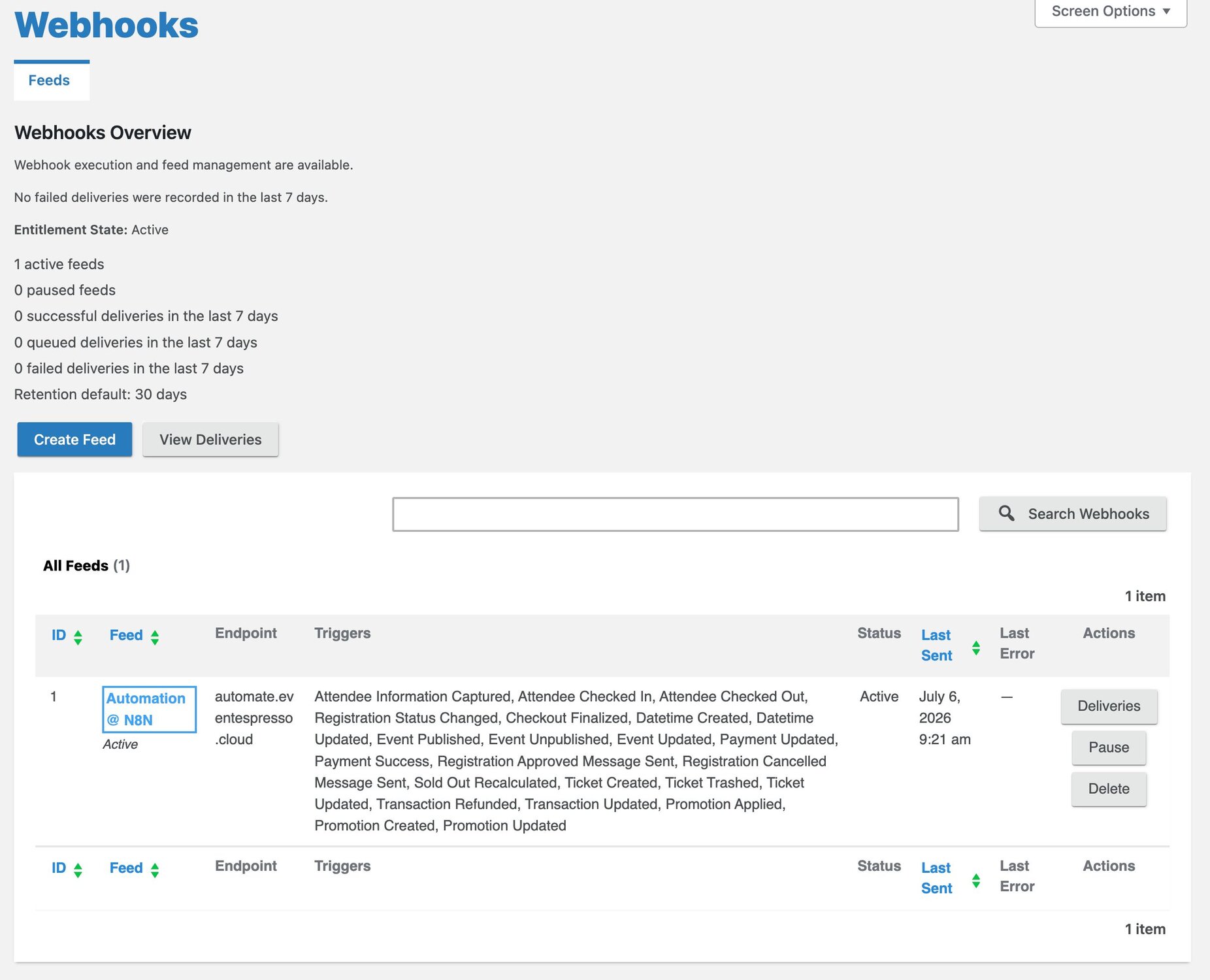
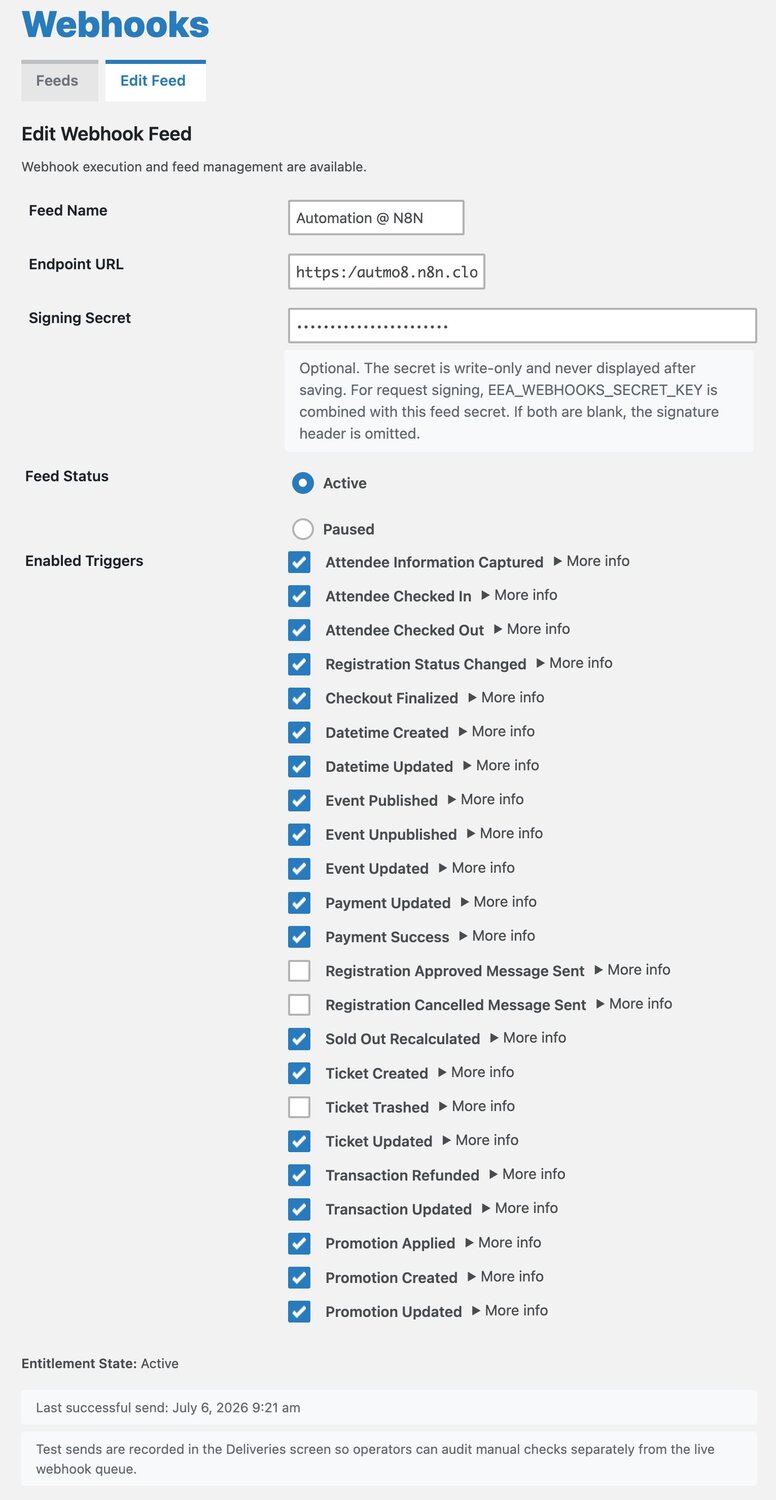
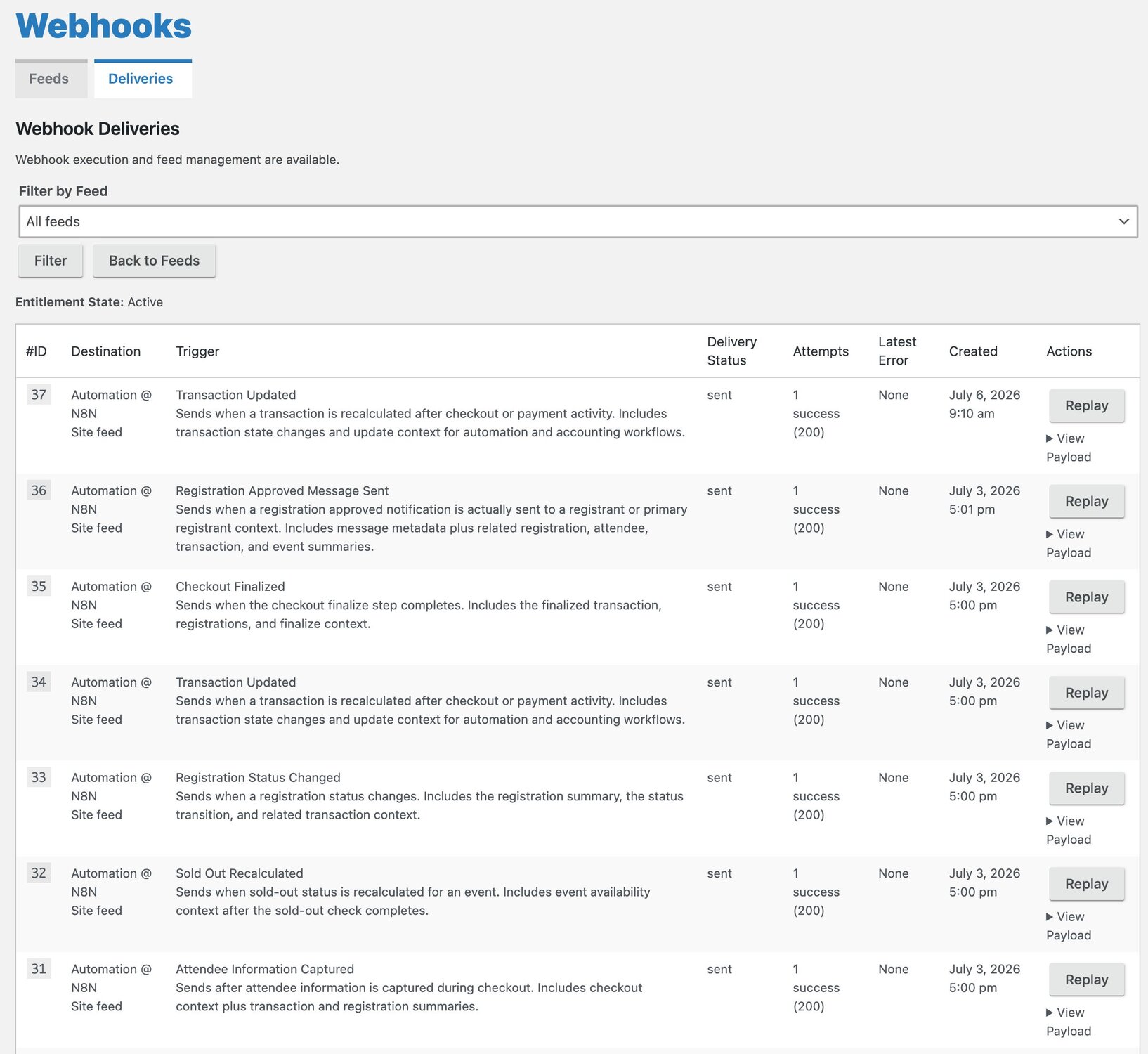
Create dedicated “feeds” for different workflows, each with its own endpoint, triggers, and status. You choose exactly which events to send, from attendee information captured at checkout to payment and transaction updates, promotions, and ticket changes. Deliveries are queued and processed in the background on a reliable schedule, with automatic retries for transient errors, detailed logging, and one-click replay when you need to resend data.
For developers, every webhook includes a consistent JSON schema, clear trigger identifiers, and optional signed requests for secure verification. Whether you want to add contacts to your CRM, notify a team in Slack, sync invoices to your accounting platform, or power a custom dashboard, this add-on turns Event Espresso into a powerful automation hub for your entire event stack.
💪 We also offer consulting services to deploy and configure custom n8n workflows so you can control your data without paying per-execution and step fees (avoiding fees from Make.com or Zapier), essentially you can host your own version of Zapier. Contact us for more information.
Data
Feeds
Feeds are saved webhook configurations that define which external endpoint a webhook should be sent to and which triggers it should include. You can create multiple feeds to route different types of Event Espresso activity (like registrations vs. payments) to different services or workflows.
Data
Triggers
Triggers are specific Event Espresso activities—such as a new registration, payment success, or attendee check-in—that cause a webhook to be generated. By selecting triggers on a feed, you control exactly which event lifecycle moments are sent to each endpoint.
Data
Deliveries
Deliveries are the individual webhook attempts that send payloads from Event Espresso to a feed’s endpoint. Each delivery is queued, processed in the background with retries on failure, and logged so you can review status, errors, and payload details.
The benefit of a Webhooks
Webhooks turn Event Espresso into a real-time event data stream that serves three key audiences at once. For events themselves, the Automation / Webhooks add-on keeps registrations, payments, check-ins, and updates flowing instantly into the tools that run your attendee experience. For organizations, it exposes those same lifecycle moments as reliable, structured JSON events that plug directly into CRMs, marketing platforms, accounting, and internal systems, reducing silos and manual data entry. And for teams, it delivers role-specific, timestamped signals—like new attendees for marketing, payments and refunds for finance, and check-ins and capacity changes for operations—over a robust, logged, and replayable webhook pipeline, so each group can automate their workflows on top of a shared, trustworthy event stream.
For events
Instead of manually exporting data or copy‑pasting from registrations, the Automation / Webhooks add-on pushes every important event action—new registrations, status changes, payments, check-ins, refunds, promotions, ticket changes—out to the rest of your stack in near real time. That means attendee and order data can automatically flow into your CRM, email platform, accounting system, Slack, project tools, or any custom app that can receive a webhook. Because you can create multiple “feeds” with different endpoints and triggers, you can tailor automations per use case: one feed for marketing (new attendees into a nurture sequence), another for finance (payment success and refunds to accounting), another for operations (check-ins to a dashboard or access control system). Deliveries run in the background, with retries, logging, and replay, so automation doesn’t impact checkout performance and you can debug issues when they happen. The net benefit is less manual admin and more reliable, timely data across all the systems that support your events, which scales much better as your registration volume grows or your tooling becomes more complex.
For organizations
For organizations, this add-on gives you reliable, structured access to your event data so every team and system can stay in sync without manual work. Instead of treating Event Espresso as a silo, the Automation / Webhooks add-on exposes key lifecycle moments—registrations, payments, refunds, check-ins, ticket and event changes, promotions, and transaction updates—as machine-readable JSON events that your stack can consume. Marketing can automatically add attendees to CRMs or email campaigns, finance can sync payment and refund data to accounting tools, and operations can drive dashboards, access control, or internal reporting, all off the same event stream. Because webhooks are queued and sent in the background on a schedule with automatic retries, detailed logs, and replay, you get operational reliability at scale: high registration volume doesn’t slow down checkout, and transient issues on downstream services don’t silently drop data. Security features like signed requests let IT teams verify authenticity before accepting updates. The result is lower admin overhead, fewer data entry mistakes, faster follow-up with attendees, and a cleaner, more automated integration between Event Espresso and the rest of your business systems, which compounds in value as your events program and toolchain grow more complex.
For teams
For teams, the add-on gives every role a clean, automated feed of the event data they care about, without relying on ad‑hoc exports or one “Event Espresso expert” to run reports. Marketing can subscribe to triggers like new registrations, approved registrations, or promotions applied and pipe them straight into email tools, CRMs, or ad audiences, so follow-ups and nurture sequences happen automatically. Finance can watch payment success, refunds, and transaction updates and sync them into accounting or dashboards, cutting out manual reconciliation. Operations and on‑site staff can react to attendee check-ins, check-outs, and sold-out recalculations, keeping capacity, access control, and staffing plans current in real time. Because everything runs as background webhooks with retries, logging, and replay, teams get dependable, timestamped events instead of fragile spreadsheets. Developers also get a consistent JSON schema and optional signed requests, so they can safely build and maintain internal tools on top of the same stream. The overall benefit is better cross‑team alignment with far less manual coordination: each team plugs Event Espresso into its own systems once, then trusts those connections to stay up to date as events and registrations change.
Customers Love our WordPress Calendar
Testimonies Decreption will be placed here
“ ...we’ve used it for everything from concert ticket sales, conference management, calendar management for recovery centers, to walking food tours... ”
🌟🌟🌟🌟🌟
IvyCat
WordPress Developers