🎉 NEW Add-ons: Registration Upsells, Automation Webhooks, Calendar+ Anywhere, Registration Upsells, and Charge Processing Fees!
🎉 NEW Add-ons: Registration Upsells, Automation Webhooks, Calendar+ Anywhere, Registration Upsells, and Charge Processing Fees!
Provide attendees a way to cancel their own registrations.

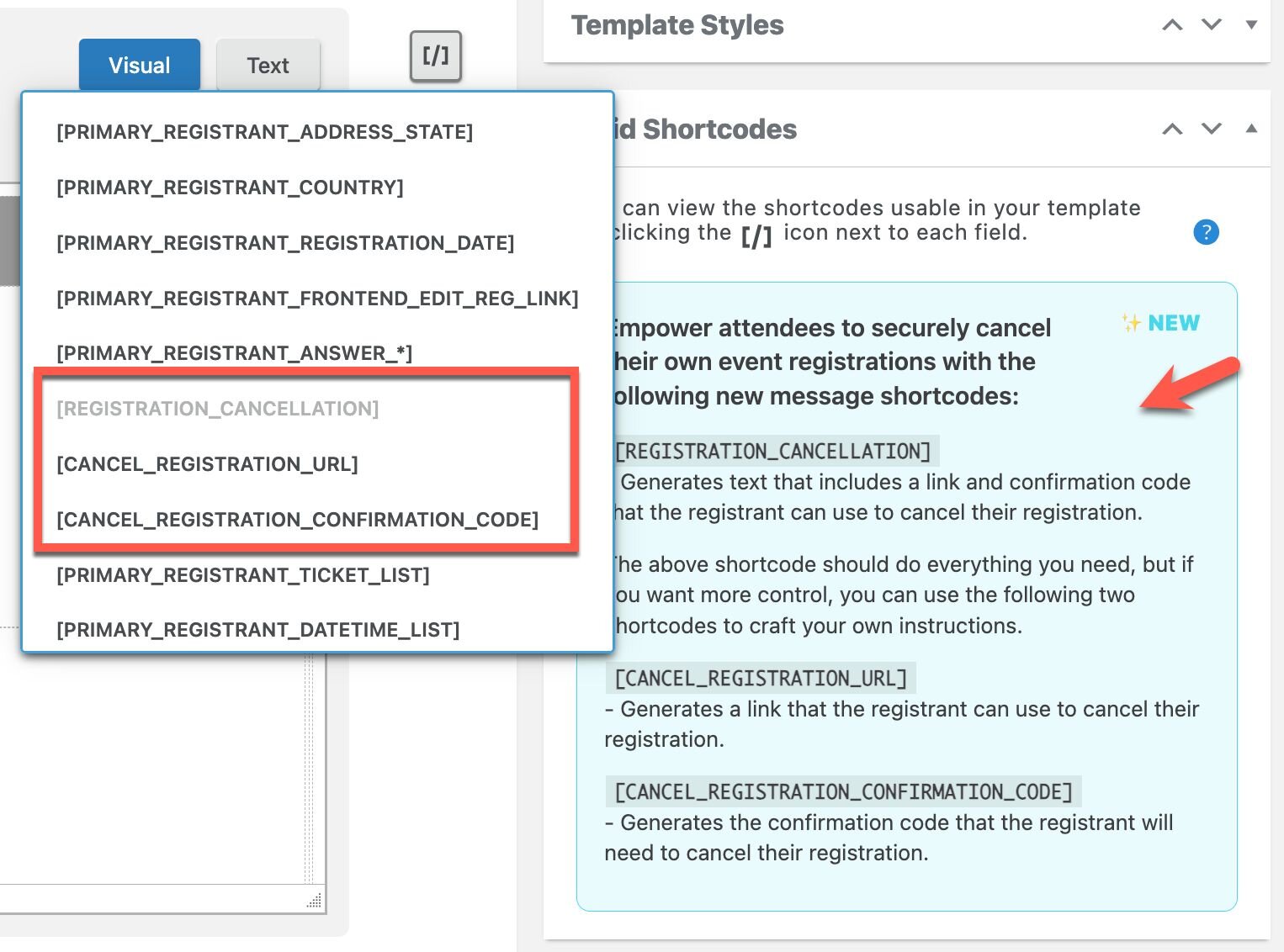
The Self-Service Registration Cancellation add-on lets you give attendees a secure, self-serve way to cancel their own registrations without needing staff intervention.
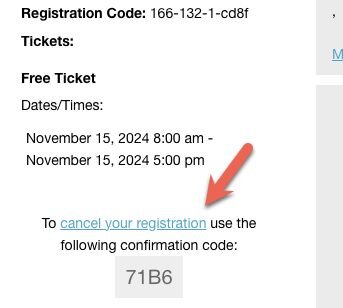
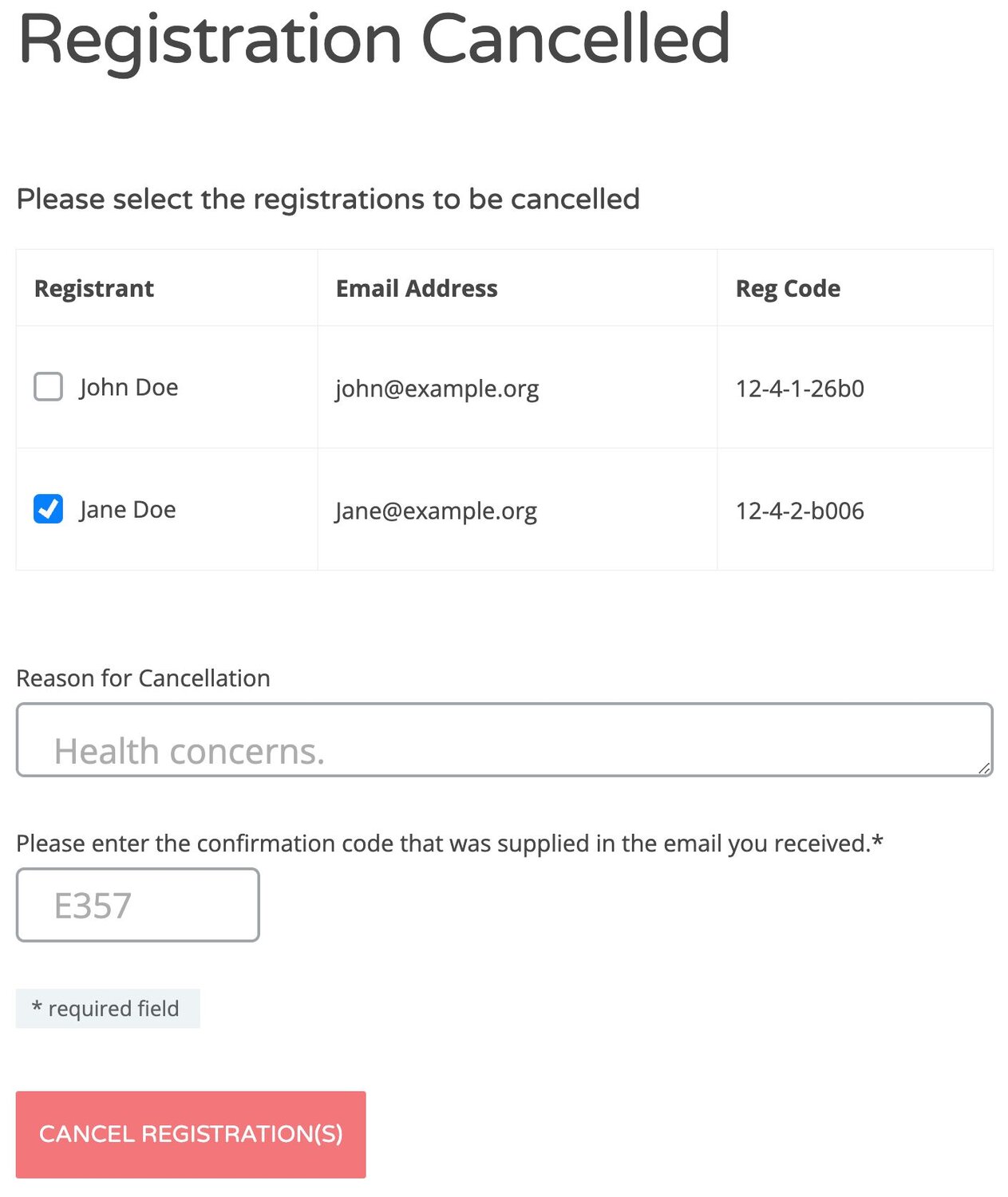
When you enable it and add the provided REGISTRATION_CANCELLATION] shortcode to your Registration Approved messages (for example inside the [ATTENDEE_LIST] content), attendees receive a unique link and code. Using that link, they can access a cancellation form, enter their confirmation number, and submit a cancellation reason.
Cancellations are only allowed while the ticket they purchased is still within its sales period, so you can enforce a clear cancellation window, and paid registrations are not automatically refunded, allowing you to handle refunds according to your own policies.
Generate text, a cancellation link and verification code that attendees can use to securely cancel their own registration.
When attendees register or buy tickets, the Registration Approved ticket template can include a link that attendees can use to cancel their own registration.
Attendees can only cancel registrations that are part of their registration group.
This feature lets attendees cancel on their own within a defined window, which keeps your registration data cleaner, improves forecasting for each event, and reduces repetitive support work. By automating cancellations but keeping refunds manual, it helps teams and organizations enforce consistent policies while still retaining full control over financial decisions.
Turn cancellations into a controlled, automated self-service process instead of ad‑hoc support work. Attendees receive a secure link in their Registration Approved message, and as long as the ticket’s sales period is still open they can cancel themselves by entering their confirmation number and a reason. That means fewer emails, calls, and manual edits for your team, and cleaner attendance numbers ahead of the event so you know who is actually coming. At the same time, because cancellations are only allowed during the ticket’s selling window and refunds are not automatic, you can enforce your cancellation policy and handle any money-related decisions on your terms.
Self-service registration cancellation is helpful for organizations because it reduces manual workload while tightening control over attendance and policy. Instead of staff handling every “please cancel me” email or phone call, registrants use a secure link and confirmation code to cancel themselves within the allowed sales window, which keeps your registration records cleaner and more accurate in real time. This improves forecasting for headcount, materials, and catering, and it makes it easier to enforce a consistent cancellation period across all attendees because the system automatically blocks self-cancellations once the ticket’s selling period ends. At the same time, refunds on paid registrations are not automated, so your team maintains full discretion over how and when to handle the financial side in line with your organization’s policies.
Self-service registration cancellation helps teams by reducing repetitive admin work and improving clarity around who’s actually attending. Because attendees can cancel on their own—using the secure link and confirmation number from the Registration Approved message—your support and operations people spend less time handling one-off “please cancel me” requests and manually editing registrations. The enforced cancellation window (tied to the ticket’s sale end date) also keeps everyone on the same page about when changes are allowed, so you avoid inconsistent exceptions and last‑minute surprises. At the same time, refunds aren’t automated, so finance or management can make deliberate decisions about money while still benefiting from streamlined, up‑to‑date attendee lists for planning and execution.

![[object Object]-flag-image](/_next/static/media/flag-us.4b6a85b6.svg)