🎉 NEW Add-ons: Registration Upsells, Automation Webhooks, Calendar+ Anywhere, Registration Upsells, and Charge Processing Fees!
🎉 NEW Add-ons: Registration Upsells, Automation Webhooks, Calendar+ Anywhere, Registration Upsells, and Charge Processing Fees!
Turn your registration form into a revenue stream. Registration Upsells lets you attach prices to the answer options attendees already choose options such as T-shirts, meals, workshops, parking, etc. and adds their selections (in whatever quantity they want) straight to the order total. No separate products, no extra plugins: just better registration options and revenue per attendee, and improving operations.

Every registration is a chance to sell something extra — a T-shirt, a meal upgrade, a workshop, a parking pass. Registration Upsells turns the registration form you already have into the place attendees say "yes" to those extras, right at the moment they're most ready to buy.
No separate store to set up. No second checkout to abandon. Attendees pick their extras while they register, and everything lands in one order, one payment, one receipt.
Price any answer on your registration form
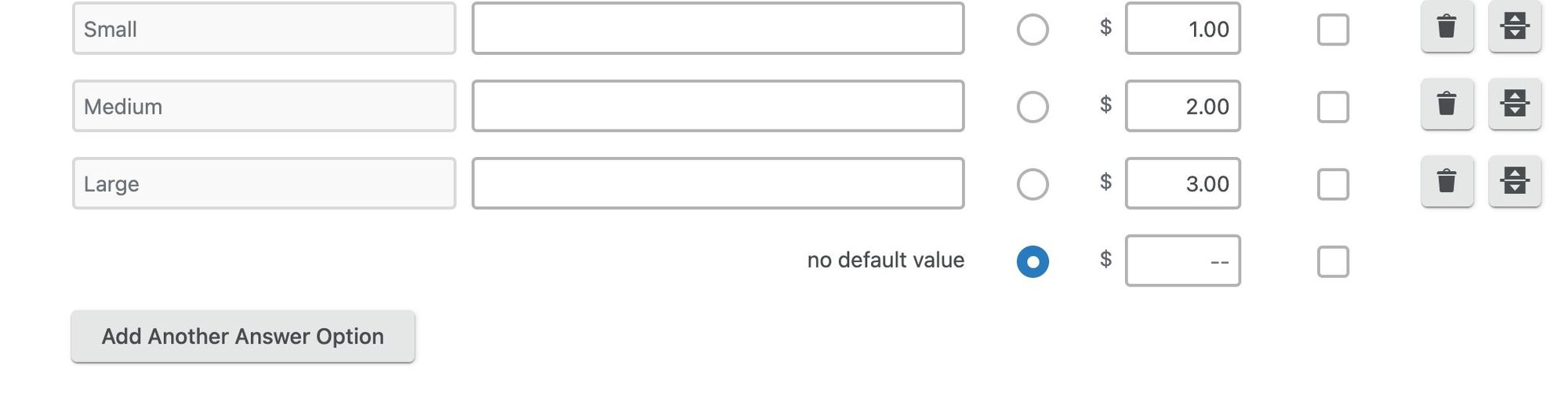
Registration Upsells works with the Event Espresso question types you already use — Radio Buttons, Dropdowns, Checkboxes, and Multi Select. Just add a price to any answer option:
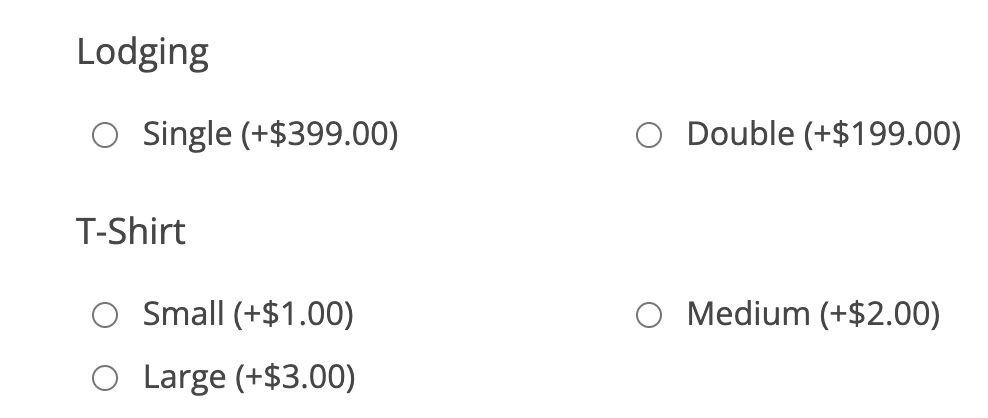
Attendees see the price right on the option, so there are no surprises — and options without a price stay free, so one question can mix free and paid choices.
Let attendees buy more than one
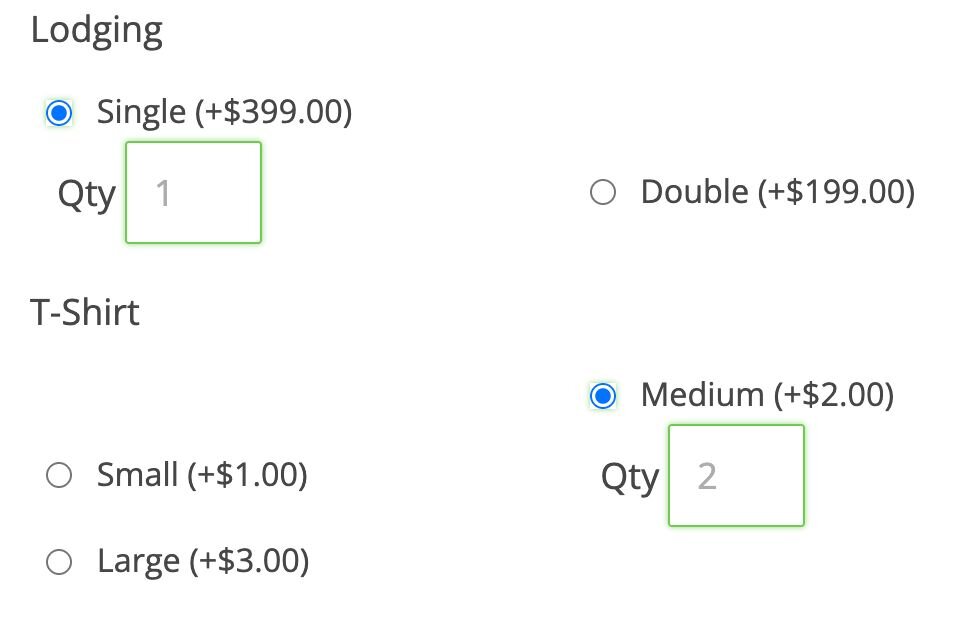
When an attendee selects a priced option, a quantity box appears automatically. Four T-shirts at $25 each? One click and a number — the order total updates to match. You stay in control with configurable quantity limits.
One checkout, clean bookkeeping
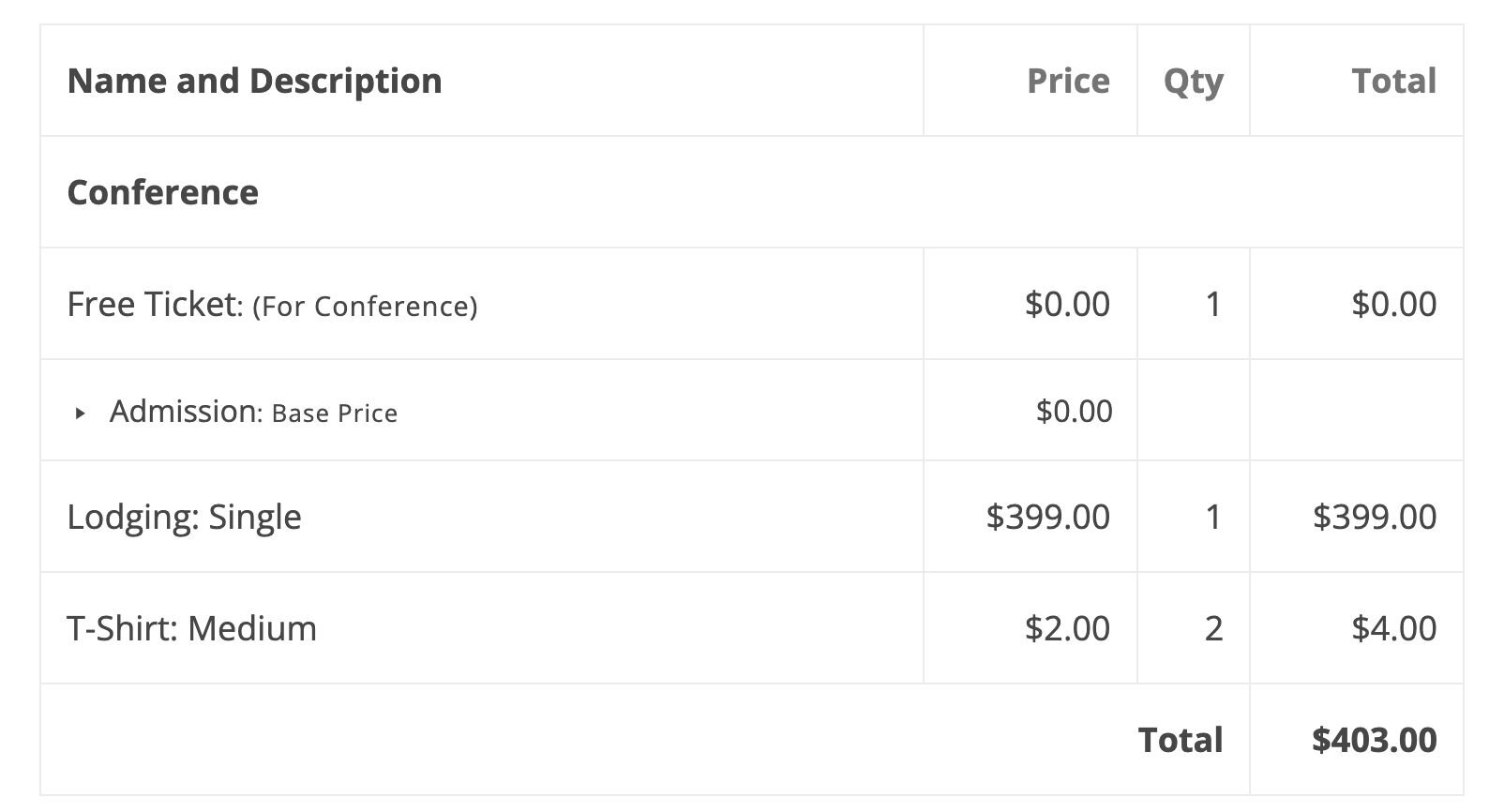
Every selected upsell becomes its own line item on the order — visible in the checkout summary, included in the payment, itemized on the transaction. That means:
Built to protect your revenue
Upsells are money, and Registration Upsells treats them that way:
Change your prices anytime: paid registrations keep the price they were charged, while new and unpaid registrations always reflect your current pricing.
Perfect for…
Registration Upsells is a native Event Espresso add-on. Install it, add prices to your question options, and you're selling extras — no third-party store, no synced inventory, no duct tape. Upsell revenue appears in your Event Espresso transactions and reports beside everything else.
Start earning more from every registration — get Registration Upsells today.
Add a fixed price to any answer option on your registration form using the question types you already have — Radio Buttons, Dropdowns, Checkboxes, and Multi Select. Free and paid options can live side by side on the same question.
Priced options display their cost directly in the option label — like "T-shirt (+$25.00)" — so attendees always know what they're adding before they select it.
When an attendee picks a priced option, a quantity box appears automatically so they can buy more than one — four shirts, two parking passes, ten raffle tickets — with the total updating to match.
Upsells are added to the attendee's existing Event Espresso order and paid in the same checkout as their ticket. There's no separate cart or store to configure, and nothing extra for attendees to learn.
Every selected upsell appears as its own line item in the checkout summary, on the transaction, and on receipts — so attendees and organizers both see exactly what was purchased.
Mark any priced option as taxable and your site's Event Espresso tax settings apply to it automatically, keeping your totals and records tax-accurate.
In group registrations, each attendee's upsells are tied to their own registration, so registration lists, CSV exports, and reports show precisely who ordered what.
If someone registering for a free ticket adds a paid extra, checkout automatically routes them to the payment step to collect it — free event, paid add-ons, zero friction.
Before payment, attendees can change their selections freely and totals stay in sync. After payment, paid selections lock automatically, so the order and the amount paid can never drift apart.
Organizers can always adjust a registration's selections from the WordPress dashboard when a legitimate change is needed, and price changes never affect what already-paid registrants were charged.
Registration Upsells helps events increase revenue per attendee without increasing ticket prices. By offering extras like merchandise, meals, workshops, and parking right on the registration form, you capture purchases at the moment attendees are most committed — and because it all happens in one checkout, there's no second transaction for them to abandon.
Registration Upsells helps events increase revenue per attendee without increasing ticket prices. By offering extras like merchandise, meals, workshops, and parking right on the registration form, you capture purchases at the moment attendees are most committed — and because it all happens in one checkout, there's no second transaction for them to abandon. Because you can create multiple “feeds” with different endpoints and triggers, you can tailor automations per use case: one feed for marketing (new attendees into a nurture sequence), another for finance (payment success and refunds to accounting), another for operations (check-ins to a dashboard or access control system). Deliveries run in the background, with retries, logging, and replay, so automation doesn’t impact checkout performance and you can debug issues when they happen. The net benefit is less manual admin and more reliable, timely data across all the systems that support your events, which scales much better as your registration volume grows or your tooling becomes more complex.
For organizations, Registration Upsells eliminates the overhead of selling event extras through spreadsheets, side stores, or manual invoicing. Every add-on purchase is captured in the same Event Espresso order as the ticket — itemized, taxed, and attributed to the right registrant — so your books stay clean and your staff stays out of reconciliation headaches.
Registration Upsells means your team stops chasing extras by hand — no more matching T-shirt spreadsheets to payment records or fielding "did my workshop payment go through?" emails. Selections, quantities, and payments are captured together at registration, so everyone on the team sees the same accurate picture in one place.
Testimonies Decreption will be placed here
“ ...we’ve used it for everything from concert ticket sales, conference management, calendar management for recovery centers, to walking food tours... ”
🌟🌟🌟🌟🌟

IvyCat
WordPress Developers

![[object Object]-flag-image](/_next/static/media/flag-us.4b6a85b6.svg)