🎉 NEW Add-ons: Registration Upsells, Automation Webhooks, Calendar+ Anywhere, Registration Upsells, and Charge Processing Fees!
🎉 NEW Add-ons: Registration Upsells, Automation Webhooks, Calendar+ Anywhere, Registration Upsells, and Charge Processing Fees!
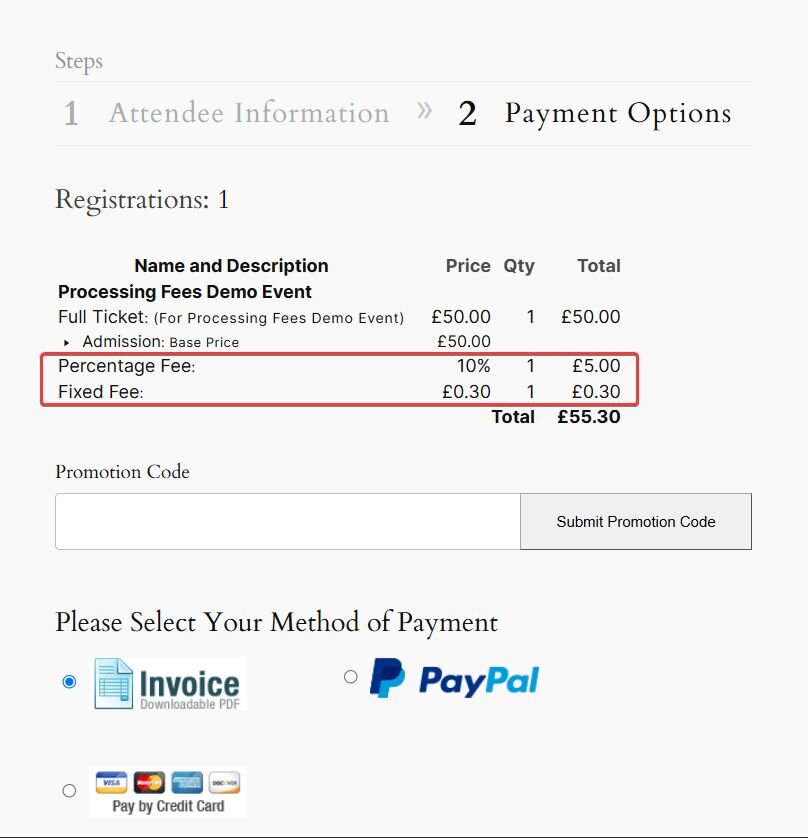
Protect your event revenue from payment processing and administrative costs by adding a percentage fee, a fixed fee, or both to any Event Espresso payment method. Attendees see clearly labeled fees during checkout, and their total automatically updates when they choose a different way to pay (e.g. invoice compared to card).

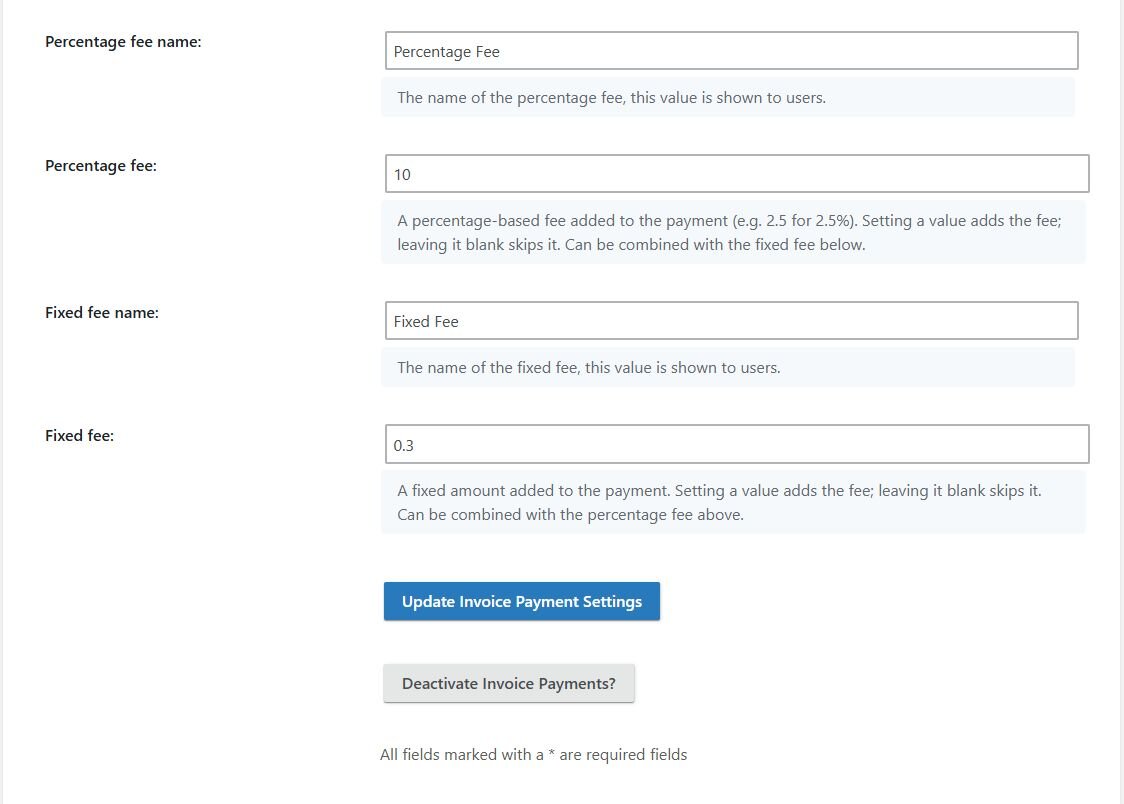
Every payment method comes with its own costs. Credit card gateways may charge a percentage plus a fixed amount, while invoices, checks, or other payment options can create additional administrative work.
Processing Fees gives you a simple way to offset those costs without increasing every ticket price. Configure the fee for each payment method, choose exactly how it is labeled, and Event Espresso adds it to the transaction during checkout.
Attendees pay for their tickets and applicable processing fees together—in one checkout and one transaction.
Choose the fee structure that fits
Use a percentage fee, a fixed fee, or combine both on the same payment method:
When both fee types are enabled, the percentage is calculated from the registration subtotal before the fixed fee is added. The two fees do not compound.
Configure each payment method separately
Different payment options can have different costs. Processing Fees lets you configure fees directly within each Event Espresso payment method.
Charge one amount for card payments, another for invoices, and no fee for bank transfers or other preferred methods. You decide which payment options carry a fee and how each one is calculated.
Make every charge easy to understand
Give percentage and fixed fees their own customer-facing names. Use labels such as “Card Processing Fee,” “Booking Fee,” or “Invoice Handling Fee” so attendees understand what was added to their order.
If you use both fee types, each appears as a separate line item with its own label.
Fees follow the attendee’s payment choice
When an attendee changes payment methods during checkout, Event Espresso removes the previous method’s fees, applies the newly selected method’s configuration, and recalculates the transaction total.
That means attendees always see the amount associated with the payment option they are actually using—even when one method has two fees and another has none.
Keep everything inside Event Espresso
Processing fees become part of the existing Event Espresso transaction. There is no separate product, manual calculation, or second payment to manage.
The registration subtotal, applicable fees, existing taxes, and final amount due remain together in the Event Espresso order record.
Perfect for…
Protect more of every registration
Stop absorbing every transaction cost or hiding it inside your ticket prices. Configure your payment methods once and let Event Espresso calculate the appropriate fee at checkout.
Processing Fees helps protect event revenue without forcing you to increase ticket prices across the board. Fees are connected to the payment method that creates the cost, clearly disclosed during checkout, and included in the same Event Espresso transaction.
Keep ticket prices focused on the value of your event while recovering applicable payment or handling costs separately. Percentage fees scale with larger orders, while fixed fees cover costs that remain the same for every transaction. Attendees see the fee before completing payment, reducing surprises and keeping checkout straightforward.
Create a consistent approach to payment costs across your registration process. Each payment method can have its own fee structure and customer-facing labels, allowing your organization to encourage preferred payment options while keeping transaction records clear. Fees are calculated automatically, helping reduce under-collection and inconsistent manual charges.
Give your registration, finance, and support teams one accurate transaction total. There is no need to calculate fees manually, create separate invoices, or reconcile an additional payment. Because fees are labeled and itemized, team members can quickly understand what an attendee was charged and why.
Testimonies Decreption will be placed here
“ ...we’ve used it for everything from concert ticket sales, conference management, calendar management for recovery centers, to walking food tours... ”
🌟🌟🌟🌟🌟

IvyCat
WordPress Developers

![[object Object]-flag-image](/_next/static/media/flag-us.4b6a85b6.svg)